
How to Edit and Filter SEO Meta Title and Description
Optimizing SEO Meta Titles and Descriptions in bulk is easy using Ablestar Bulk Product Editor. Choose if you prefer the 'In-App Edit' or 'Spreadsheet' method:
If there is no SEO Meta Title or SEO Meta Description configured, the system automatically pulls from the Product Title or Product Description, respectively.
1. In-App Edits
From the Products dashboard, once you have filtered a set of products, click the Edit products button to continue the configuration. You will redirect to the 'Configure modifications' view:
Choose which options you prefer to update:
- Field to edit: SEO Meta Title or SEO Meta Description
- How to edit: Choose any edit option (go more in depth with How to Edit Text fields here)
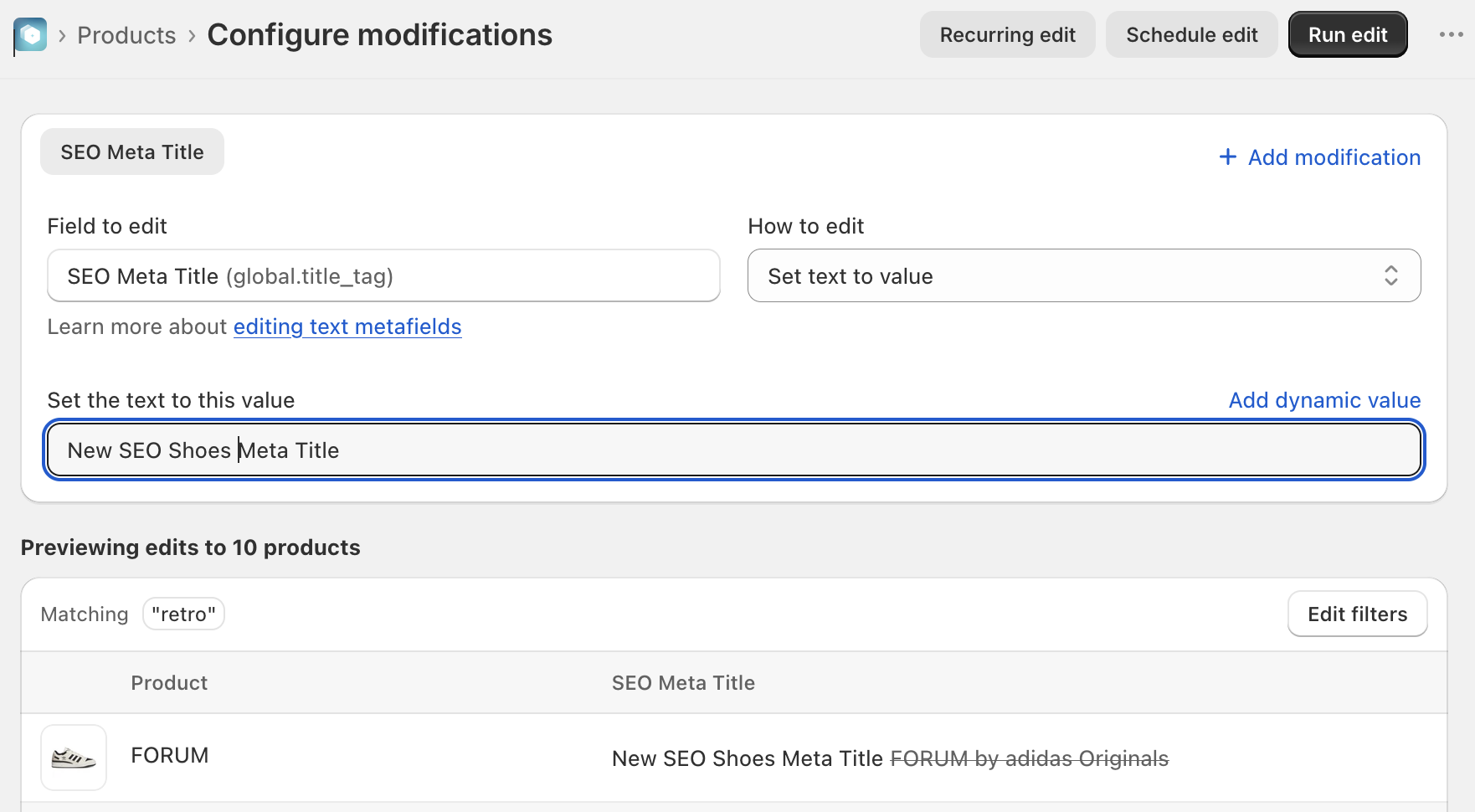
Preview the content in the frame to confirm your changes. Click the Edit filters button to modify further. Once ready, click the Run edit button to process.
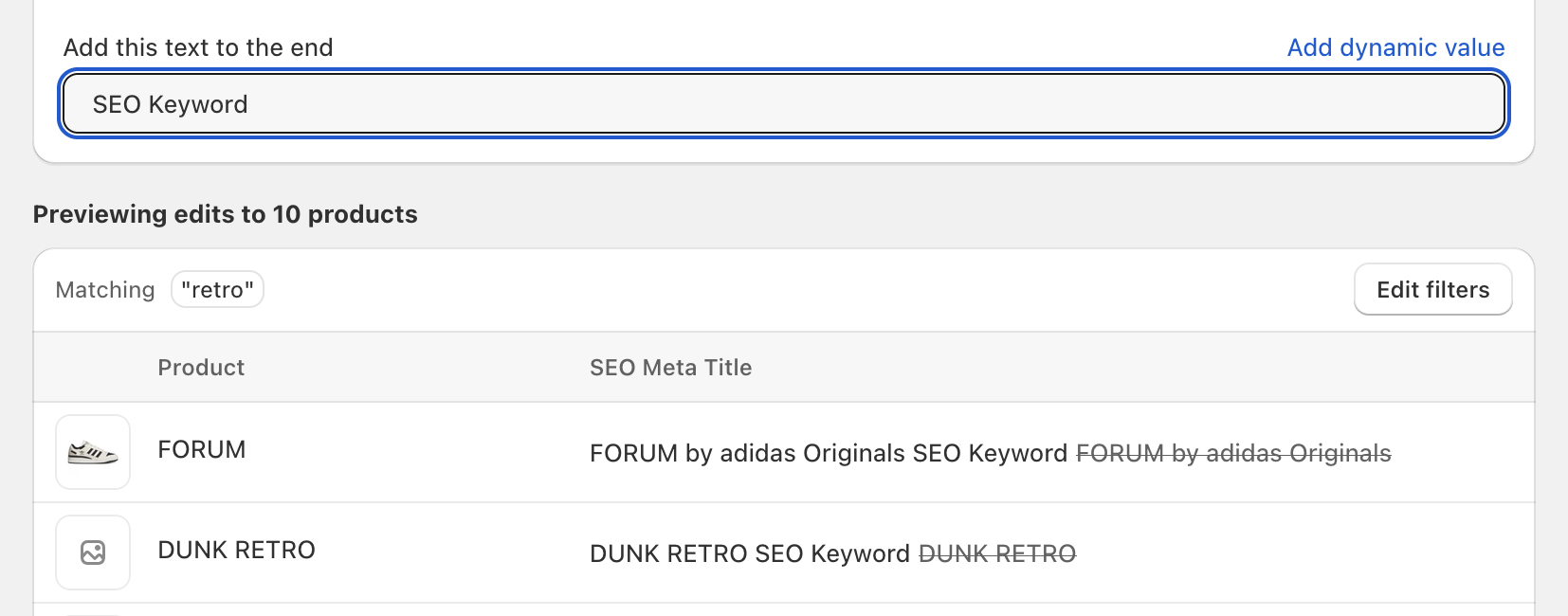
Including Dynamic Values in the Product Title
Optionally, you can click the 'Add dynamic value' option to pull in other data from your store, instead of manually inputting a term.
This is especially useful if you prefer the system to pull data from another text field already specified in your database (ie if you want to make sure the SEO Meta Title always includes the Vendor Name).
Learn more about Dynamic values here.
2. Spreadsheet Edits
Prep your spreadsheet to include new data or to replace existing data.
Determine if you want to use Product-level or Variant-level identifiers. Your spreadsheet might look similar to:

The system will recognize spaces throughout the new data (which is helpful if you are adding data to an already existing title or description).
Filtering
If you need to find a list of products that are missing SEO Meta Titles or Descriptions, try a quick filter.
From the 'Products' search view, click the Add filter+ button and input 'SEO' to select the SEO Meta Description or SEO Meta Title options from the dropdown list.
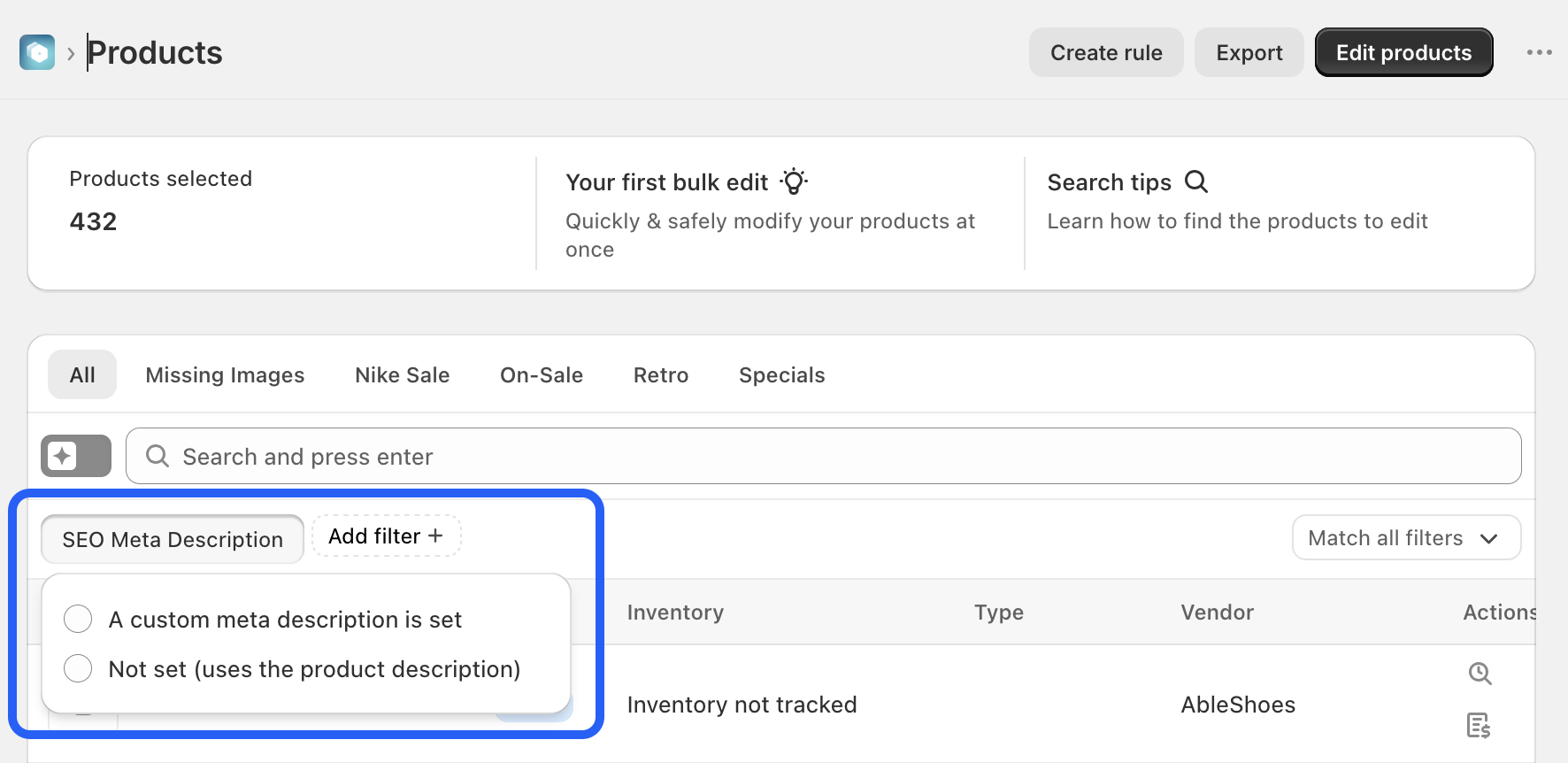
Filter out the products that have SEO meta set (or not set):
- A custom meta description is set
- Not set (uses the product description)
Export the file to your local files and clean up as needed to reimport later.
✅ Tips and Troubleshooting
- The maximum length of the title is 255 characters
- If no SEO information is configured, the system pulls from your Product Title and Product Description by default.
- Any edits will also recognize spaces between words
(04.331)