
Editing Image Alt Tags
You can bulk edit Alt tags on images using Ablestar Bulk Product Editor. This edit functionality is only available with Spreadsheet edits:
Spreadsheet Edits
Prep your spreadsheet to include your product-level identifier (SKU, Handle, Product ID, etc) in the first column, similar to:

- Multiple alt tags: Specify multiple columns for each alt tag on the same row. If you have ten images for the same product, make sure that all ten images have a column with Alt tag specified (even if the image / alt tag is not being modified, it should always be present).
- Each image requires a separate Alt tag column.
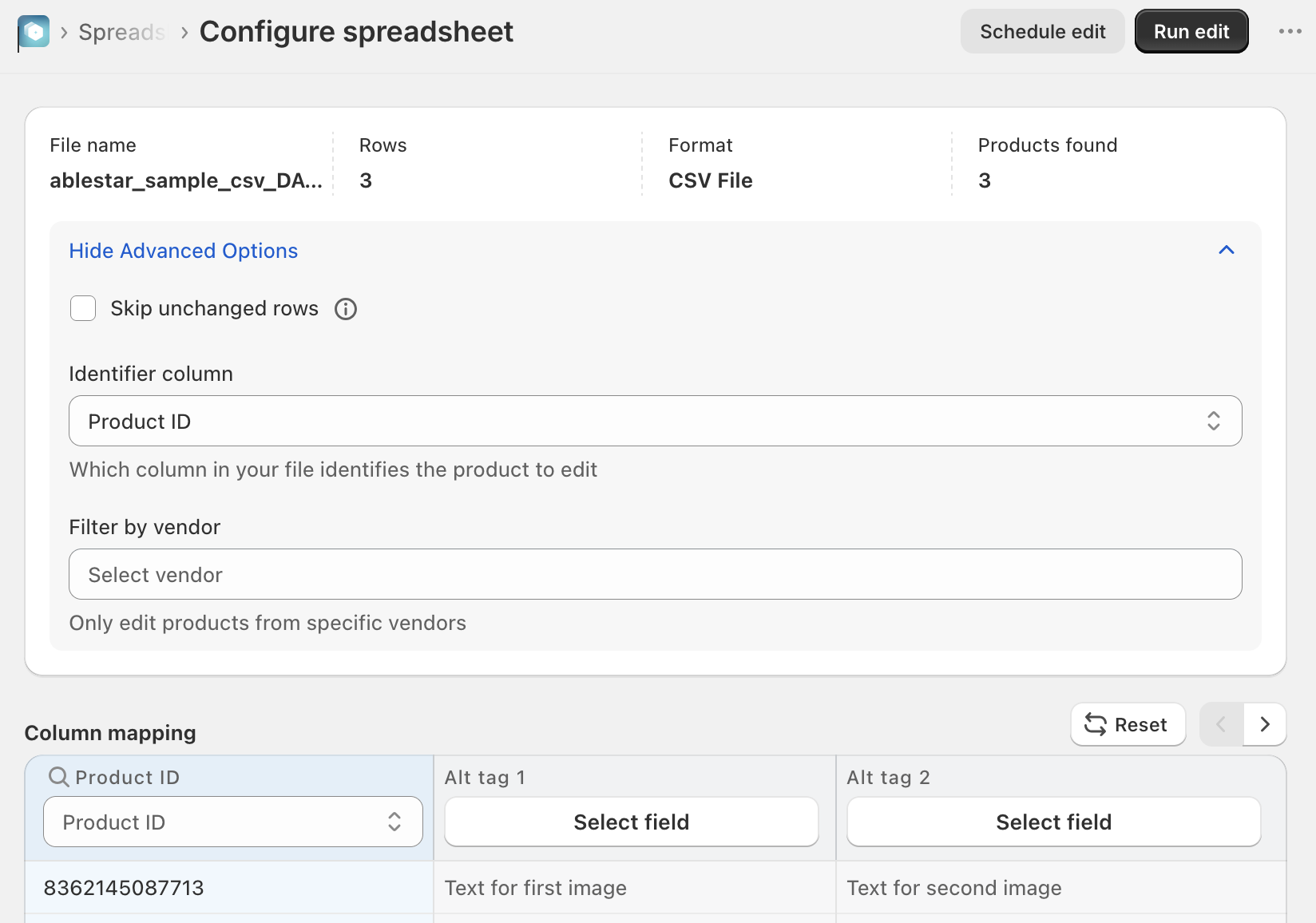
From the 'Configure spreadsheet' view, confirm the column mapping. Click the 'Advanced setting' to confirm your product-level identifier is correct:
✅ Tips and Troubleshooting
- Skipping unchanged rows is a great way to increase the speed of the upload if your spreadsheet data has a lot of unchanged rows
- Learn how to upload image files using Dropbox or the Shopify media editor
(03.320)