
Feature 7: Bulk Edit Products with Shopify Sidekick
Site owners always have access to Sidekick AI functionality when using Ablestar Bulk Product Editor, which means you can ask questions using natural language prompts to help you find the correct procedure more quickly.
Shopify Sidekick is an AI-powered assistant built directly into the Admin view that connects to help articles and your store's real-time data. The assistant can scour through our app functionality, knowledgebase articles, and additional Shopify support articles to find answers.
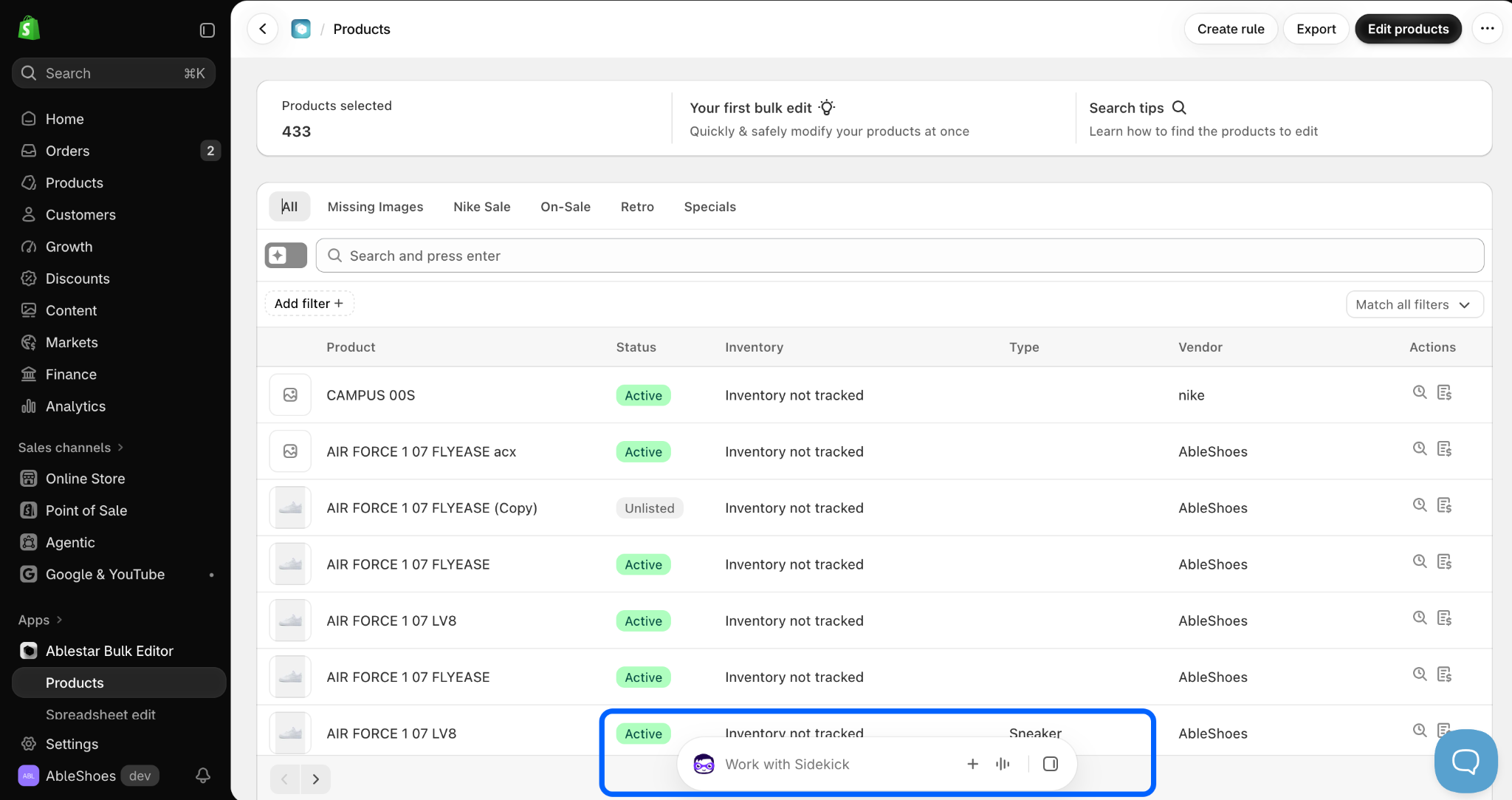
The Sidekick search panel is positioned on the footer and accessible from every view in Shopify. Conversation begins once you click inside the search field:
Some specific ideas to get you started, using prompts similar to:
- “How do I bulk edit products with missing images?”
- “How to find duplicate skus for bulk edit?”
- “Can I edit the compare-at price in bulk?”
- “Will I lose data or previous edits if I downgrade my subscription?”
Initially, Sidekick will confirm permissions to provide access to the app before processing your request.
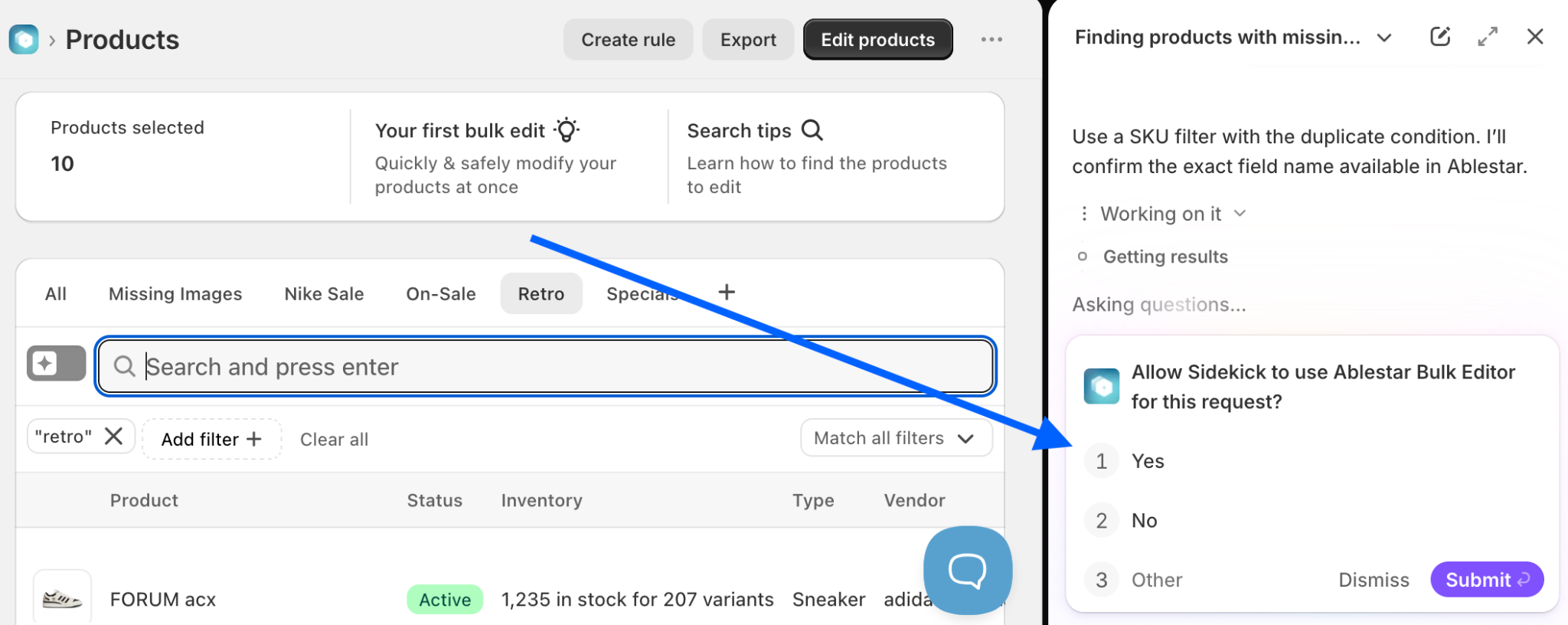
Click ‘Yes (and don’t ask again)’ if you would like to hide this prompt in the future, and then the Submit button to continue.
We are constantly improving the abilities of the Sidekick search functionality. Reach out to our team 24/7 if you have any questions or suggested features. We are more than happy to help!
🎧 Get help from humans https://www.ablestar.com/contact/
✅ Tips and Troubleshooting
- Sidekick will continue processing in the background even if you close the chat window or switch pages.
- Sidekick is strictly an internal merchant tool; it cannot chat with or answer order tracking questions for your shoppers
- Learn how Ablestar uses AI to enhance our Filters and Search functionality
- What is Shopify Agentic Software
(01.336)