
Editing Shipping Profiles
Shopify plans to move every store away from Shipping Profiles by July 2027 and move to market-driven shipping, instead.
- Stores still on shipping profiles: nothing changes and edits work as before.
- Stores moved to market-driven shipping: messaging will appear and ask you to approve the shipping permission.
See the Shopify Feature Preview
Ablestar Bulk Product Editor can edit Shopify shipping profiles in bulk.
Shopify's admin only lets you add products to a shipping profile individually, one at a time. This is limiting because you are unable to bulk filter by all products with a specific vendor, or all products in a collection.
Learn how to filter a set of products, vendors, or collections and move in bulk to a new shipping profile.
Currently, there is no way to bulk edit shipping profile detail. Shipping zones, packages, labels, rates, and fulfillment locations have to be changed individually through Shopify. Learn how to edit Shipping Dimensions in bulk.
Confirm Shipping Profiles
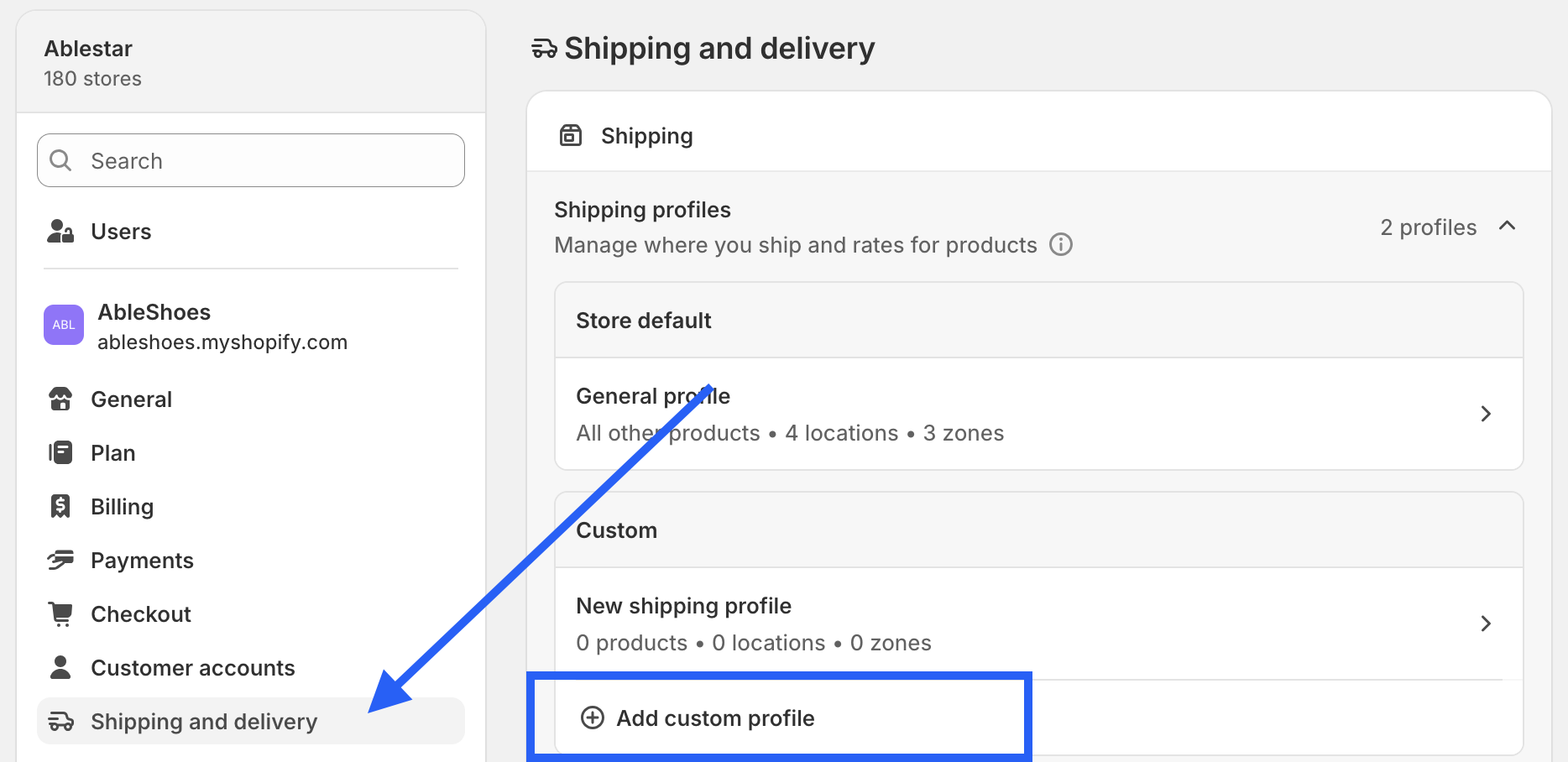
First, make sure the new shipping profile is created. From the Shopify setting (gear icon), click the Shipping and delivery menu and then Add custom profile:
In-App Edit
From the app dashboard, once you have a product set filtered, click the Edit products button to start specifying parameters.
Once you land on the 'Configure modifications' view, select 'Shipping Profile' in the Field to edit dropdown.
The first time you select the field, Shopify will prompt you for a one-time permission to grant our team access to your shopify profile information (we do not have access to further order data). Get in touch with your store admin if you need to request approvals.
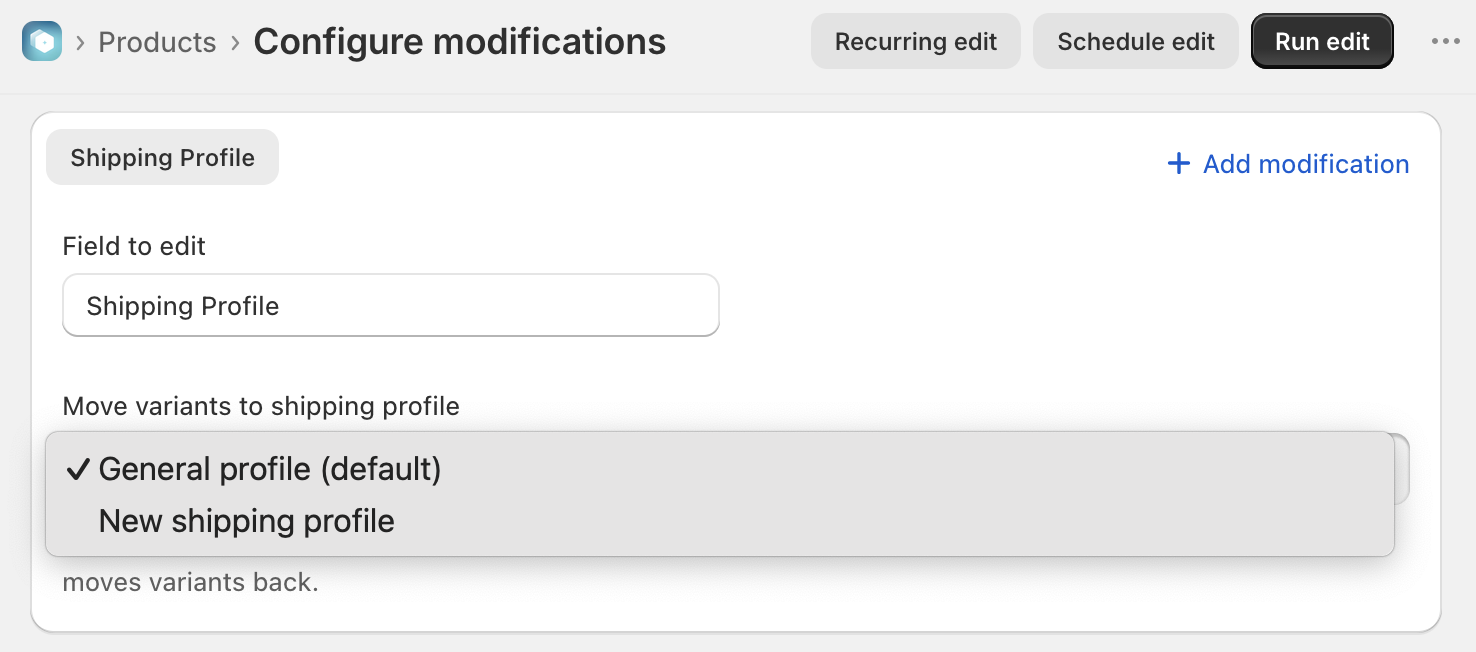
- Choose the new shipping profile in the 'Move variants to shipping profile' dropdown.
- Preview and run the edit as usual.
- Click Run edit to process
- Once processed, confirm the results show the old and new profile correctly, for every variant
- Click Undo if you need to start over
Note: SHP error codes may appear for various reasons during processing - review our troubleshooting article
Spreadsheet Edits
Currently, there is no option to process bulk edits through a spreadsheet, until Shopify provides more functionality.
Export Shipping Data
Currently, there is no option to export shipping profile detail through the app, until Shopify provides more functionality.
✅ Tips and Troubleshooting
- SHP error codes may appear for various reasons during processing - review our troubleshooting article
- Currently there is no way to bulk edit shipping profile detail: shipping zones, packages, labels, rates, and fulfillment locations have to be changed individually on the Shopify.
- Learn how to edit Shipping Dimensions in bulk.
(04.334)